
Best eSIM for China Travel in 2026: A Shanghai Photo Backup Plan
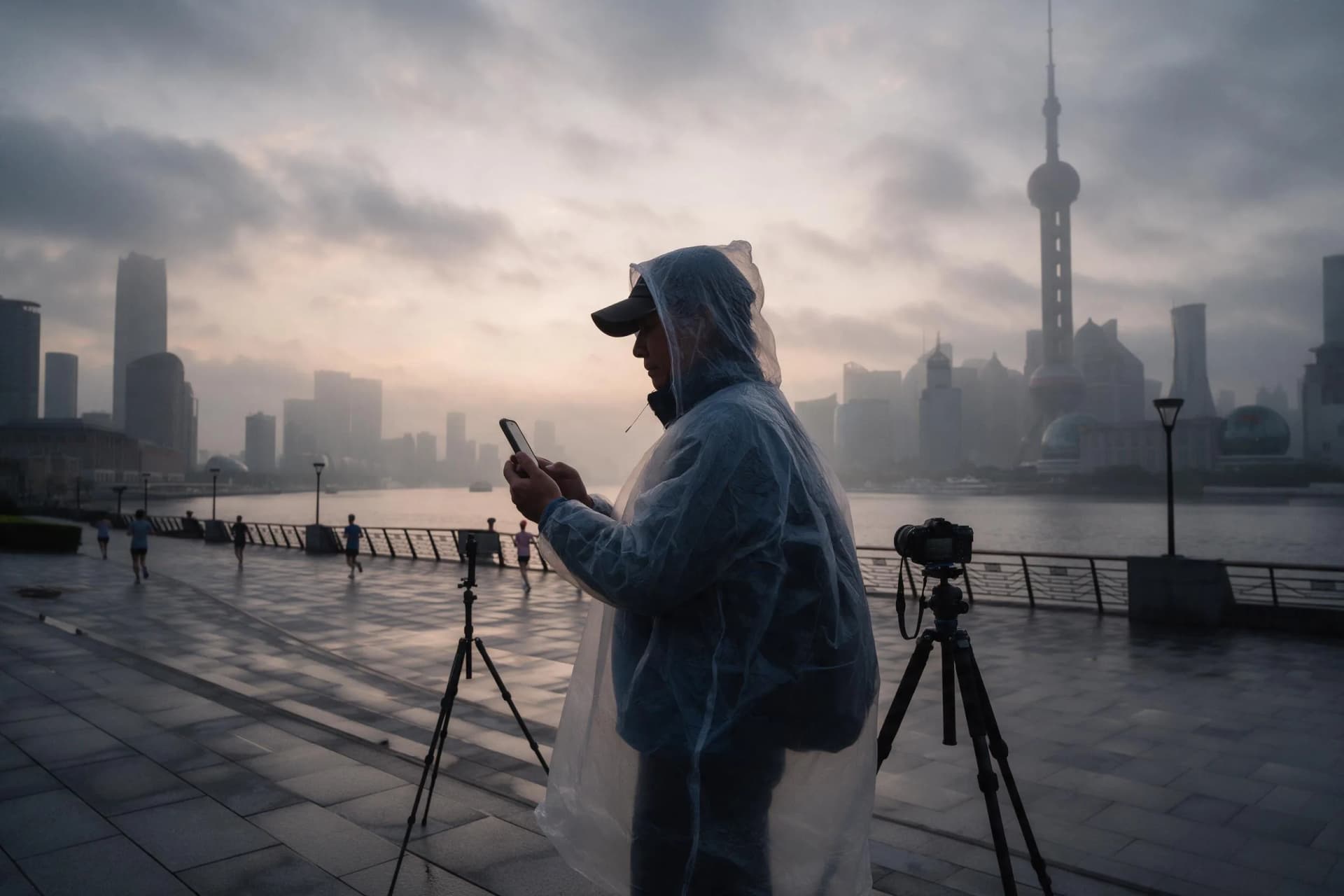
This photographer’s field guide treats mobile data as part of the camera kit. It compares practical China eSIM prices, explains a pre-flight setup and upload backup routine, and maps a November 10, 2026 Shanghai shoot across the Bund, North Bund and Wukang Mansion. Each stop includes a precise viewpoint, light window, crowd cutoff and starting camera or phone settings.
For a Shanghai photo trip in November 2026, the best eSIM for China travel is a data-only 10 GB, 30-day plan costing roughly $16–$22, but only if your unlocked phone supports eSIM and the provider confirms hotspot sharing and the plan’s internet routing. Install it before you fly, then keep hotel Wi-Fi as the upload backup.
The right plan is priced by gigabytes and days, not by the word “unlimited.” In representative October 2026 listings, Airalo and Nomad placed 10 GB over 30 days at about $16–$22. Holafly’s unlimited option was roughly $6.90 daily, or $48.30 for seven days; a typical US postpaid roaming pass was about $10 daily. Check the exact listing for mainland coverage, hotspot permission, activation trigger and app routing. No eSIM should be expected to open every blocked service automatically.
Begin with the phone, not the airport. A compatible handset must be carrier-unlocked, and Settings should offer Add eSIM or Add Cellular Plan; Apple’s support page is the clearest first reference. Three to five days before departure, install the plan on home Wi-Fi and label it “China Photo.” Save the QR code and provider instructions offline. Keep your home line active for verification texts but disable its data roaming. If validity starts at installation, wait until 72 hours before departure.
At Shanghai’s arrival hall, enable the travel line and follow the provider’s roaming or APN instructions. Make it the default for mobile data and run three checks: load a map, send a photo, and start a short upload. If signal appears but data does not, toggle airplane mode for 10 seconds, verify the APN, then contact support before buying another plan. Turn off cellular photo backup; camera-roll uploads can consume several gigabytes. Use hotel Wi-Fi for card offloads and mobile data for maps, payments, messages and shareable proofs.
For this seven-day shoot, 10 GB per traveler is a sensible ceiling; 5 GB can cover maps, messages and light posting if you edit sparingly. Choose 20 GB only if you will tether a laptop or send batches of full-resolution images. Confirm hotspot permission in the plan terms because tethering can remain blocked even when phone data works. Download an Amap offline area before each outing and screenshot the Chinese gate name; strong 5G is no substitute for a route that opens when needed.
Central Shanghai has broad mobile coverage, but coverage is not upload speed. A crowded Bund promenade at blue hour, a deep Metro platform or a thick-walled historic building can interrupt a backup even when signal bars look healthy. Test a 30-second video upload when you arrive at each viewpoint. Keep originals on the camera card until copies are visible on another device; the eSIM is the primary link, not a complete archival system.
Spot 1: the Bund at first light. Stand at the granite railing between Nanjing East Road and Jiujiang Road, facing east across the Huangpu toward Lujiazui. Access is free and public; no ticket is required. On November 10, 2026, sunrise is about 06:16, with useful color from roughly 05:45 to 06:35. Arrive by 05:40, because tripods and phone mounts occupy the rail early. Tour groups build after 08:30, and the railing is dense from 18:30 to 22:00. Camera: 24–35mm, f/5.6, 1/125 sec, ISO 200. Phone: 1x lens, tap the bright sky, drag exposure down 0.7–1.0 and leave digital zoom alone.
Spot 2: North Bund for blue hour. Use the upper riverside terrace near Shanghai Port International Cruise Terminal and face southeast across the water toward Lujiazui. It is free, public and ticketless. Sunset is about 16:59; claim the rail by 16:35 and work from 16:45 to 17:25, when building lights balance the sky. Weekday crowds are lighter, though joggers and tripods multiply after 18:00. Camera: 35–70mm, f/8, ISO 100, 2–8 second exposures on a small tripod braced safely against wind. Phone: Night mode only when the handset rests on the rail; tap a mid-bright tower and lower exposure until highlights retain detail. Never block the walkway.
Spot 3: Wukang Mansion for street geometry. The exact viewpoint is the crossing on Huaihai Middle Road, looking north up Wukang Road with the wedge-shaped facade filling the tree-framed gap. There is no entrance ticket for this exterior photograph. November sunlight reaches the street less directly, so work from 07:30 to 09:00; after 10:30, scooters, deliveries and posed portraits crowd the junction. Camera: 24mm, f/8, ISO 200–400, metering for the pale facade. Phone: 0.5x ultrawide to include the wedge, then 1x for details; avoid portrait mode because the building’s edges are the subject. Wait for the traffic signal.
Build the network plan before the photo plan. Buy a 10 GB plan after confirming hotspot and routing, install it 72 hours before departure, and test uploads in Shanghai before trusting it with irreplaceable files. Then keep the light windows as fixed appointments, with one weather backup morning and an offline map for every location. With connectivity handled, you can watch the moment the river turns silver instead of troubleshooting in the dark.
Good to know
- Recommended plan, November 2026
- 10 GB / 30-day data-only eSIM from Airalo or Nomad, $16–$22 in representative October 2026 listings; confirm hotspot and routing before purchase.
- Cost comparisons
- Holafly unlimited is around $6.90 per day ($48.30 for 7 days); a typical US postpaid day pass is around $10 per day ($70 for 7 days). Check current terms.
- Setup window
- Install 3–5 days before departure, allow 15 minutes on home Wi-Fi, then test the line within 10 minutes after landing.
- Coverage check
- Expect 4G/5G in central Shanghai, but test an upload at all 3 viewpoints; Metro tunnels, basements and crowded riverside areas may be weak or congested.
- Light windows, November 10, 2026
- Sunrise 06:16 and sunset 16:59 China Standard Time. Bund 05:45–06:35; North Bund 16:45–17:25; Wukang junction 07:30–09:00.
- Field settings
- Camera: 24–70mm, f/5.6–8, 1/125 sec, ISO 100–800. Phone: 1x lens, exposure down 0.7–1.0, no digital zoom.
Frequently asked questions
Does a China eSIM work with Google Maps and Instagram?
Do not assume it does. Some travel eSIMs route traffic outside mainland China and may reach those services, while local-network plans may not; routing can also change by product. Check the exact provider listing, test after landing, and keep Amap plus offline screenshots as your navigation backup.
How much data does a photographer need for seven days in China?
Plan on 10 GB per traveler for maps, messages, payments and modest social posting. Five GB is workable with careful editing, while 20 GB makes sense if you tether a laptop or upload batches of full-resolution images. Offload camera cards over hotel Wi-Fi instead of cellular data.
Can I share a China travel eSIM with a camera or laptop?
Only if the provider permits hotspot or tethering on that exact plan. The phone can have working data while hotspot remains disabled, so verify before purchase and test the hotspot immediately after arrival. Most cameras cannot join a phone hotspot directly, so a laptop or travel router may be needed.
Should I install my China eSIM before arriving in Shanghai?
Yes, install it three to five days before departure when you have reliable home Wi-Fi and time to contact support. Check when the validity period begins: if installation starts the clock, wait until roughly 72 hours before travel. Keep the home SIM available for verification texts but disable its data roaming.
What should I do if the eSIM shows signal but no internet in Shanghai?
Confirm that the travel line is selected for mobile data, enable data roaming if the provider requires it, and check the supplied APN details. Toggle airplane mode for 10 seconds and retry. If the problem continues, contact the provider rather than changing network settings repeatedly.
Keep exploring
Sources & verification
Sources used for this guide
Time-sensitive travel details can change. Reconfirm opening hours, prices and entry rules before departure.
- 1support.apple.comsupport.apple.com
- 2airalo.comairalo.com
- 3nomadesim.comnomadesim.com
- 4holafly.comholafly.com
Local operating context
ChinaMira Shanghai Guide Team contributes local route and operating knowledge from Shanghai. This team byline identifies a real operating group rather than a fictional individual author.
Related journeys
Turn this guide into a real trip
These are currently bookable journeys selected from the place and theme of this guide. Availability is rechecked before display.
Plan this trip
Turn this guide into a practical itinerary
Send us the article as context. A ChinaMira specialist can check the route, dates, transport, tickets and the details that need local confirmation.